Parts · 27 September 2026
Replace the part or buy a new laptop: how to decide
The symptom usually tells you whether a laptop needs one part replaced, or whether a new machine is the better call.
In this article
A laptop failure in a fleet doesn’t always mean a new machine. Several common symptoms trace back to a single part. Others are a sign the machine itself has reached the end of its useful life. When an organisation runs dozens or hundreds of laptops, telling the two apart early makes budgeting and prioritising repairs much more straightforward.
Symptoms that usually come down to one part
These parts can be replaced on their own, and each has a fairly distinct symptom.
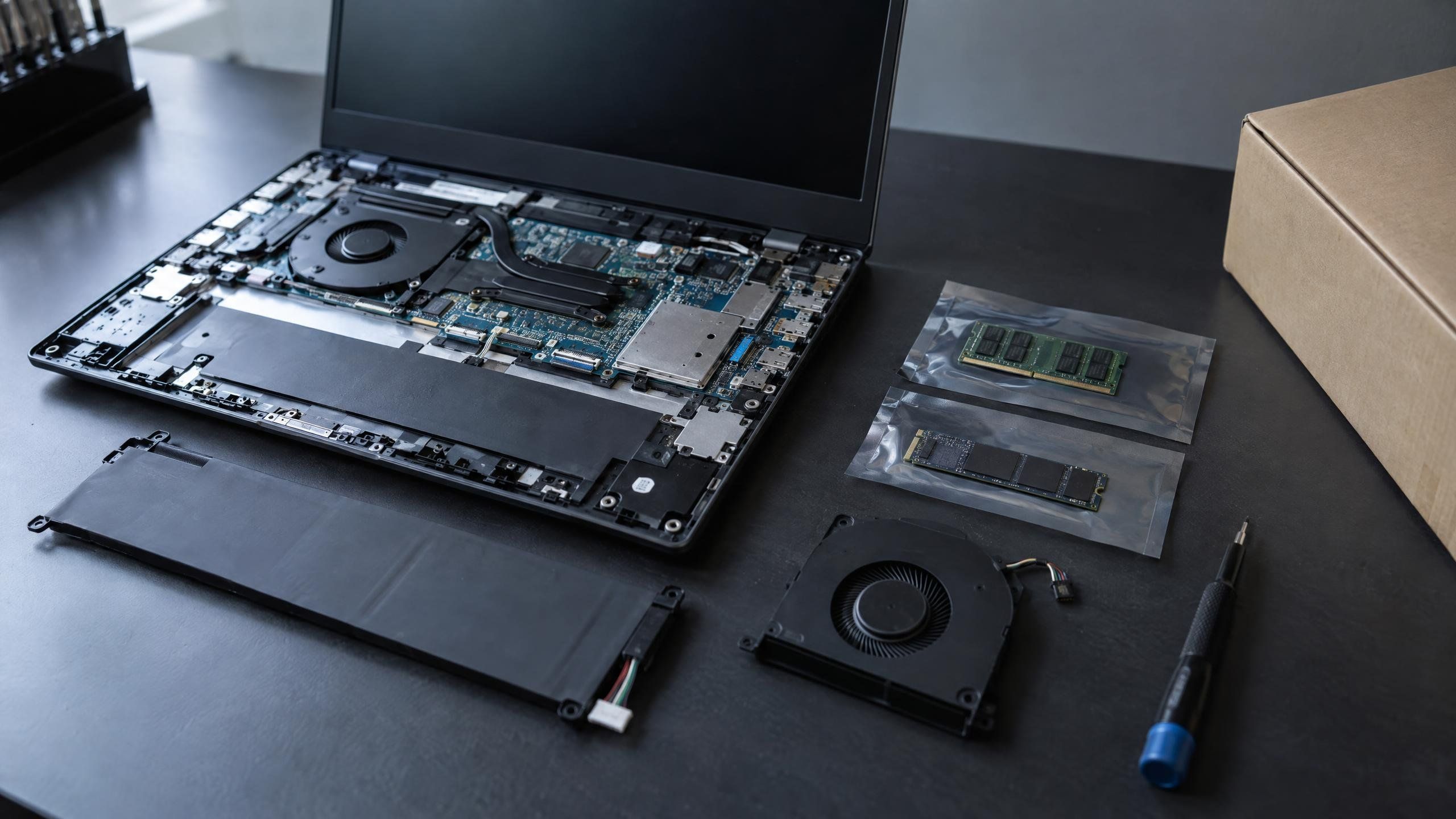
- Laptop RAM (SO-DIMM): the machine slows down once several programs run at once, even though the rest of it copes. It often shows after an organisation moves to a newer, heavier version of software it already uses.
- SSD, both M.2 and 2.5-inch: boot times creep up, files or programs hang more often, or the system flags the drive’s health. A drive nearing the end of its life usually shows these signs before it fails.
- Laptop battery: it’s visibly swollen, or it runs down much faster than it used to on a full charge. Batteries wear with every charge cycle, so older machines show this more often.
- Cooling fan: it’s noisy under load, or the machine runs hotter than it used to for the same work. Dust inside the case is a common cause, alongside a fan that has simply worn out.
- Power adapter: it stops charging, the charging light stays off, or the battery won’t charge at all. This is easy to tell apart from a battery fault, because the adapter can be tried on another machine straight away.
Most of these come down to one component. Replace it and the rest of the machine keeps working. When you run many units of the same model, knowing which part is behind a symptom helps you judge whether machines of a similar age will fail the same way. If you log each machine’s repair history, the record shows which parts fail most often on which model.
When a new machine is the better call
- The machine can’t meet the software or security standard your organisation runs today, such as running an operating system version that still gets security patches. Limits like this usually come from the processor or another part that can’t be swapped, unlike RAM or an SSD.
- The same unit keeps failing in different places within a short time. That points to the whole machine reaching the end of its life, and replacing parts one after another may cost more than planning a replacement.
- The symptom doesn’t match any of the parts above. In that case, have the machine assessed on its own before deciding.
Why discontinued models still matter
Organisations often buy one laptop model in a single large batch and run it for years. Sourcing parts for that model after it’s discontinued means the whole fleet can stay on one model, and the IT team doesn’t have to support several at once. Years after a manufacturer stops selling a model, the right part gets harder to find through general channels, while many of those units are still in daily use. We source parts even for end-of-life models, so a fleet doesn’t have to be replaced sooner than planned. Systems tied to model-specific settings or drivers keep working.
Where parts come from, and how they’re fitted
- Imported directly from our suppliers
- Fitted on site by our engineers
- Supplier warranty terms vary, so we work to the terms in your contract with us
If you’re weighing a part against a new machine for your fleet, see parts sourcing and replacement or get in touch to talk through a specific machine.
More articles

Why outside IT staff should be background-checked and sign an NDA
What an NDA and a background check cover, how Source System applies both, and what to ask any vendor before its staff come on site.
What preventive maintenance is, and how it differs from fixing things when they break
The five steps every visit shares, what gets checked on each kind of device, typical TOR intervals, and how the findings feed your budget.

How an organisation starts working with an IT outsourcing provider
What each step of starting with an IT outsourcing provider is for, and what your organisation can prepare before the first conversation.