Preventive maintenance · 27 September 2026
What preventive maintenance is, and how it differs from fixing things when they break
The five steps every visit shares, what gets checked on each kind of device, typical TOR intervals, and how the findings feed your budget.
In this article
Preventive maintenance means checking and caring for hardware on a schedule, before something fails. Reactive repair works the other way round. It waits for a machine to stop working, then fixes it. For an IT manager, that difference shows up in the budget and in how often systems go down.
Preventive maintenance versus reactive repair
Reactive repair starts after a problem appears. A machine hangs, a printer jams again and again, or a server goes down, and the team works to fix it. Problems like these tend to appear when a device is under load, which is usually when you need it most.
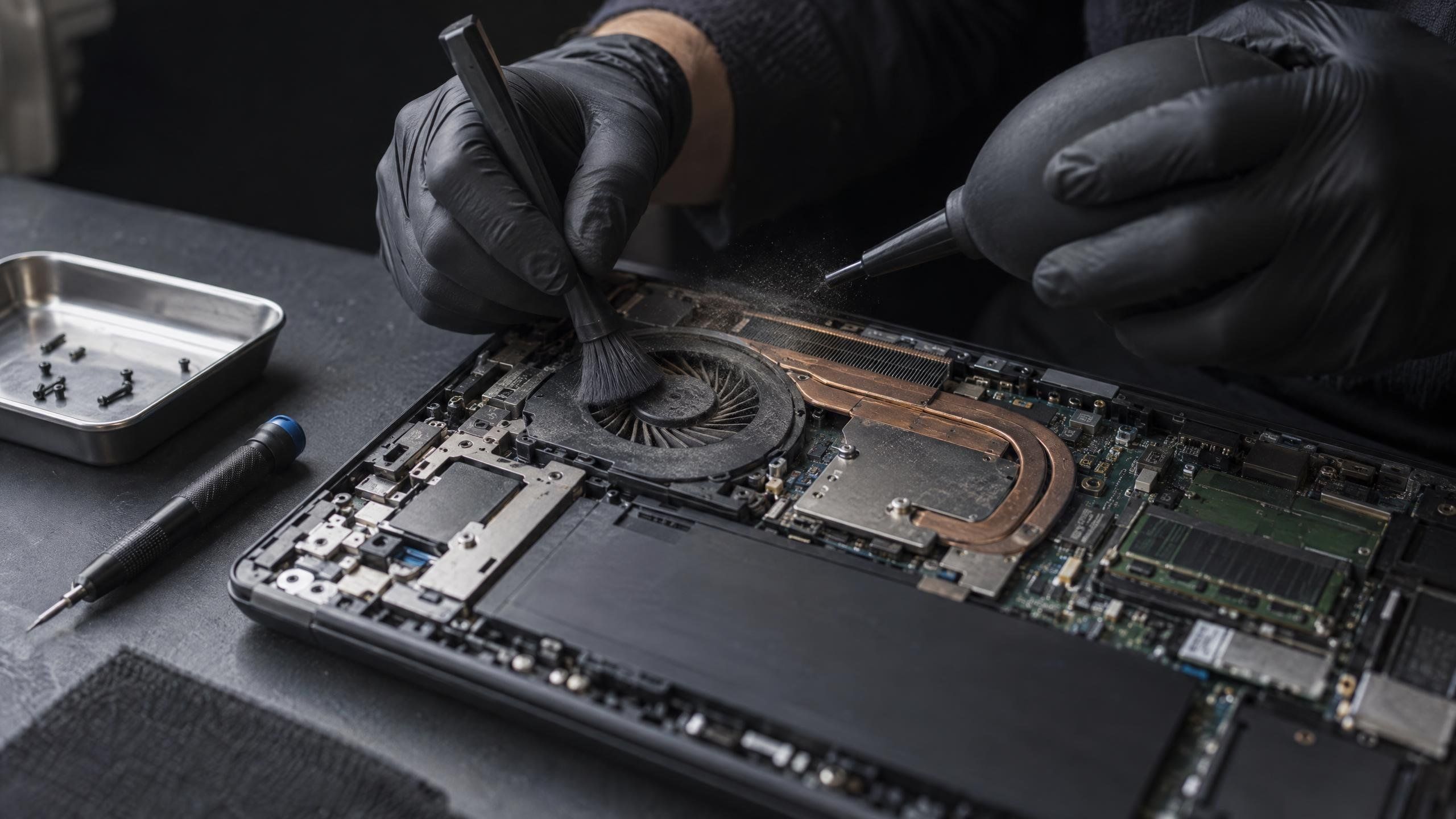
Preventive maintenance turns that round. A team visits on a planned schedule, before wear turns into failure. Dust builds up in fans and raises temperatures over time. Batteries wear with age. Paper rollers wear with every page printed. All of this is visible to someone who checks on a schedule.
So the cost of fixing things after they break includes the part, the time the system is down while you wait for an engineer, and the work that stops with it. The more a device is used every day, like a server or a branch printer, the more a sudden stop hurts.
Five steps, on every device
Every Source System visit uses the same five steps, whatever the device. What changes is where the team looks.
- Cleaning: dust removed from the unit
- Condition check: parts with a limited lifespan assessed, such as fans, batteries, and rollers
- Function test: each part tested to confirm it works
- Firmware and patch check: brought in line with your organisation’s policy
- Written record with recommendations: findings logged, with recommendations
What changes by device group
Desktops and laptops are checked for heat and wear. Fans and heatsinks are cleaned, disk health is read from SMART, battery wear is checked, and keyboards and ports are tested. BIOS, drivers, and patches are brought to the versions your policy requires. Problems get caught before a member of staff finds a dead machine in the middle of the working day.
Printers are checked along the paper path. Pickup rollers, separation rollers, and the fuser are cleaned, and the page count is checked against the maintenance kit interval. Printers show the clearest results from scheduled care, because most paper jams come from dirty or worn rollers.
Servers and storage are checked through the management controller. RAID status, disks starting to log errors, redundant power supplies, fans, and temperatures are all reviewed. A disk that has started logging errors needs catching before it affects data. These visits are usually booked outside the working day, because some checks need a reboot.
Network equipment and UPS units: switches are checked for port errors and firmware. UPS batteries are tested and their runtime is measured against the real load. A battery that looks fine with no load can still fall short in a real power cut, and UPS batteries usually need replacing every three to five years.
The full checklist for each group is on the services page, chapter 03.
How often to check
Bank and government TORs commonly specify intervals like these: desktops and laptops once or twice a year, printers every quarter or by page count, servers every quarter or every six months, and UPS units twice a year. The right interval for your organisation depends on the site. A dusty branch or a factory floor needs more frequent visits than an air-conditioned office. Your interval is agreed when we set the scope.
How the written record helps your budget
Every visit ends with a written record. It shows which parts are heading towards failure, before they affect your systems.
You can use it to plan repair and replacement budgets ahead of time, instead of keeping an emergency budget for sudden failures. An IT team that knows which battery is near the end of its life, or which printer is due a maintenance kit, has time to compare options and buy when it suits the organisation.
See Hardware Maintenance & Preventive Care or get in touch to talk about the right interval for your sites.
More articles

Why outside IT staff should be background-checked and sign an NDA
What an NDA and a background check cover, how Source System applies both, and what to ask any vendor before its staff come on site.
Replace the part or buy a new laptop: how to decide
The symptom usually tells you whether a laptop needs one part replaced, or whether a new machine is the better call.

How an organisation starts working with an IT outsourcing provider
What each step of starting with an IT outsourcing provider is for, and what your organisation can prepare before the first conversation.